Many Shopify projects don't fail on the front end. A modern store can be set up relatively quickly, designs can be optimized and marketing campaigns bring traffic to the shop.
However, the actual challenges often arise in the background — in operational processes.
As soon as a company grows, the complexity of e-commerce processes increases significantly. What initially worked manually or with simple tools suddenly becomes a structural problem.
If these processes are not properly connected, inefficiencies quickly arise in day-to-day business. Orders must be reworked manually, inventories are no longer correct or invoicing processes are prone to errors.
Without a stable ERP connection, this growth will sooner or later lead to operational chaos.
The decisive question is therefore not:
“Do we need an interface? ”
The more crucial strategic question is:
Which integration architecture prevents operational inefficiency in three years?
Because while simple integration works in the short term, the quality of a system architecture often only becomes apparent when a company scales.
An ERP connection connects Shopify with a central business system that is responsible for managing business processes. The ERP acts as a central data source for many operational processes in the company.
In such an integration, different data is synchronized between Shopify and the ERP system to ensure that both systems always have consistent information.
At first glance, this synchronization seems relatively straightforward. In practice, however, it quickly becomes apparent that the real challenge is not Which data is synchronized.
Rather, the decisive question is:
The choice of integration architecture — i.e. how systems communicate with each other — determines whether an ERP connection remains stable and scalable in the long term or causes problems in everyday operations.

Integrating an ERP system with Shopify is a central part of modern e-commerce infrastructures. In practice, this is not just about the simple exchange of data between two systems. Instead, orders, product data, prices, inventories, and customer data must be synchronized reliably and consistently.
Especially for growing companies, it quickly becomes clear that the choice of integration architecture has a major influence on the stability, scalability and maintainability of the entire system landscape.
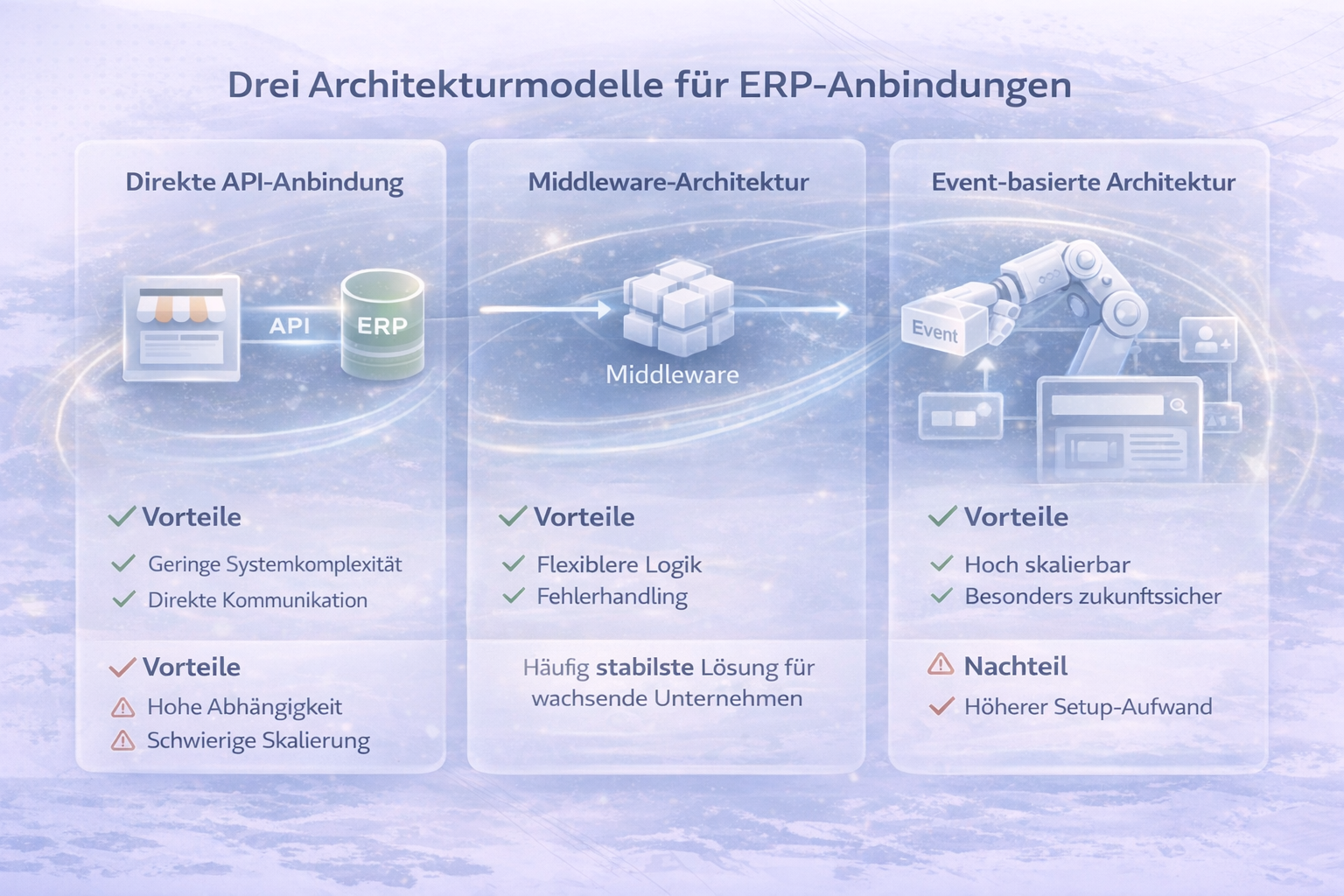
In practice, three basic architecture models for ERP connections have been established. Each model has its own strengths and weaknesses and is suitable for different company sizes and system landscapes.
With a direct API connection, Shopify communicates directly with the ERP system. The two systems exchange data directly via APIs — usually via REST or GraphQL.
A typical example: As soon as an order is received by the Shopify shop, it is sent directly to the ERP system via an API. It is processed there, for example for invoicing, warehouse booking or shipping preparation. Product information or inventory levels can also be synchronized directly from the ERP back to the shop.
This model is often used by smaller or more technically simple setups, as it can be implemented relatively quickly.
In practice, direct integration can work, for example, if a merchant exclusively runs Shopify and a single ERP system. However, as soon as additional systems such as a PIM, a WMS or marketing tools are to be integrated, the architecture can quickly become confusing.
A middleware architecture adds an additional layer of integration between Shopify and the ERP system. This middleware performs the task of transforming data, mapping business logic and connecting various systems together.
Well-known integration platforms in this area include Celigo, Patchworks and Make. Some companies are also developing their own integration platforms to meet their specific requirements.
For example, in this setup, Shopify first sends an order to the middleware. There, the data is checked, transformed if necessary and then forwarded to the ERP system. At the same time, the middleware can also distribute the same data to other systems, such as a CRM or an analysis tool.
This creates a significantly more flexible architecture that is easier to expand.
In practice, this architecture is often the most stable solution for companies that need to grow or integrate multiple systems together.
In more complex system landscapes, event-based integration architectures are increasingly being used. Systems no longer communicate directly with each other, but exchange so-called events.
An event is an event within a system, such as “Order created,” “Product updated,” or “Inventory changed.”
For example, when an order is received by the Shopify store, Shopify creates a corresponding event. This event is sent to a central integration platform. This platform processes the event and then distributes the data to various systems, such as the ERP, a shipping tool or a reporting system.
The big advantage of this approach is that systems are decoupled from each other. New systems can be easily added without changing existing integrations.
Event-based architectures are often used by larger companies or platforms that run many systems simultaneously and need to process large amounts of data.
Many companies underestimate the complexity of ERP integrations. While the technical connection between two systems can be established relatively quickly, the actual challenges often arise in the details of data models and business logic.
Differences in the way different systems structure data or map processes are particularly problematic.
A common mistake is a so-called “Quick and dirty” integration. Integration is implemented as quickly as possible so that it can go live at short notice.
In the short term, this procedure often works without problems. In the long term, however, structural problems arise in operational operations.
These issues can not only cause internal effort, but also have a direct impact on the customer experience, such as when products are shown as available even though they have already sold out.
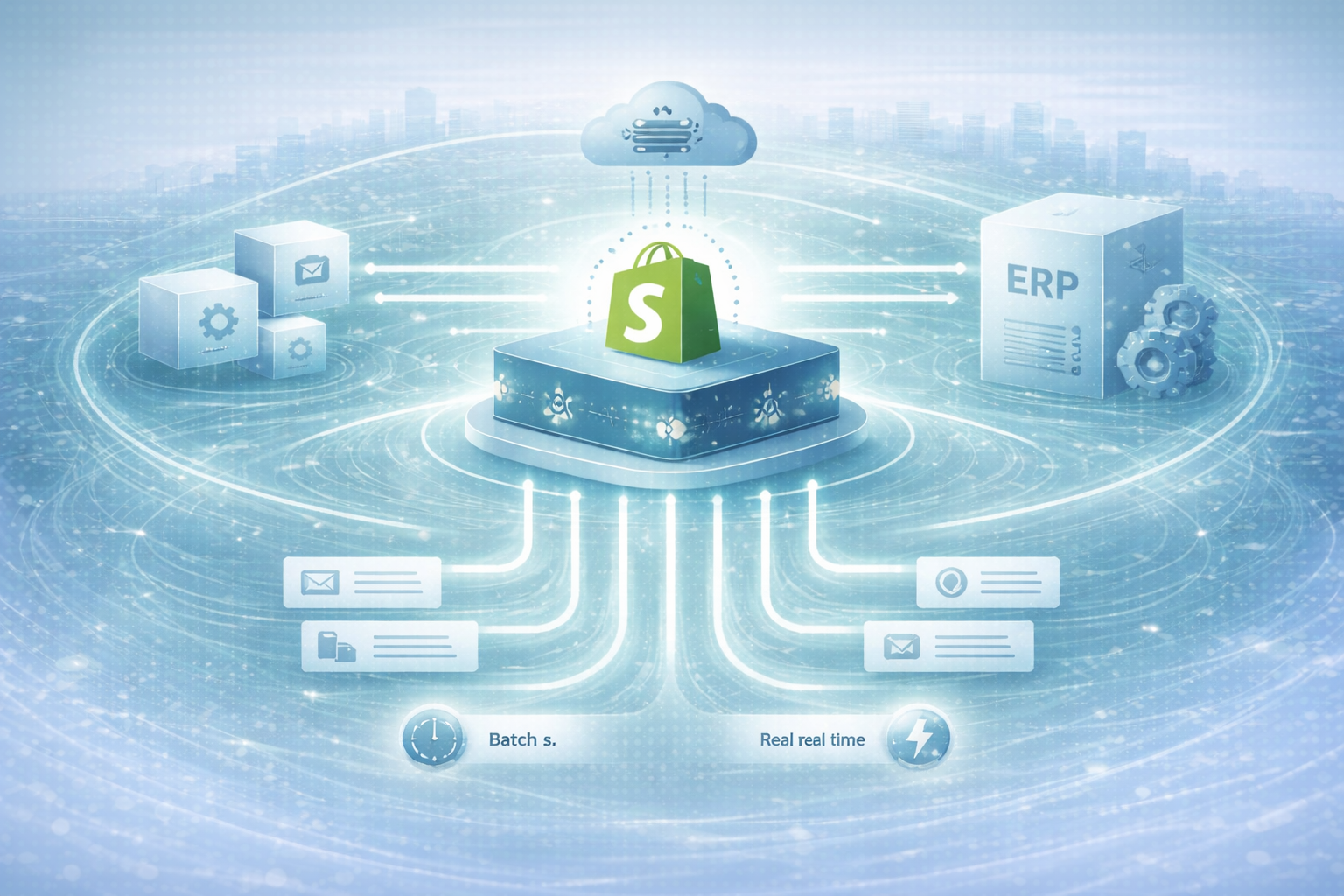
A key strategic decision in ERP integrations concerns the type of data synchronization. Companies must decide whether data should be transferred in real time or whether synchronization at fixed intervals is sufficient.
With real-time synchronization, data is transferred directly between systems. For example, when an order is received by the Shopify store, it is immediately sent to the ERP system and processed there. Inventory levels can also be updated immediately.
Real-time processes are particularly important for business models where stocks are scarce or products can sell out quickly.
In many other scenarios, however, so-called batch synchronization is sufficient. Data is transferred at regular intervals, for example every five or ten minutes.
The right decision between real-time and batch synchronization can have a significant impact on system stability, infrastructure costs, and risk of errors.
A robust integration architecture can be a real competitive advantage. When Shopify and the ERP system are cleanly integrated, many processes can be automated and scaled efficiently.
Companies with stable system architectures can grow faster, enter new markets and work more efficiently.
A poor integration architecture, on the other hand, creates operational friction. And operational friction slows down growth.
As the size of the company grows, the choice of the Shopify platform can also play a role in the integration strategy.
Shopify Plus offers several features that can be particularly relevant for more complex ERP integrations.
Especially with larger amounts of data or more complex system landscapes, these functions can make a noticeable difference.
However, the same applies here: Shopify Plus does not replace a well-thought-out integration architecture. The technical strategy behind the ERP connection remains the decisive factor for long-term stability and scalability.
Do you want to build your Shopify ERP connection in a clean, scalable and future-proof way?
We analyse data flows, system landscape, scaling goals and develop a robust integration architecture.

Get in touch
contact now